Choose a photo that is easy to read.
Start with one person in good light. Their face should be sharp and unobstructed. A front-facing or slightly turned portrait is easier to evaluate than a heavily filtered image, a group shot or a distant face.
- Use your own photo or one you have permission to use.
- Avoid sunglasses, face coverings and heavy beauty filters.
- Choose a JPG, PNG or WebP file, up to 10 MB for this preview.
Open the studio and add your photo.
On the homepage, choose browse files in the “Your photo” panel, or drag one file into the outlined area. Your image appears inside the upload panel. The original reference video remains alongside it on desktop and below the controls on a phone.
The preview shows the image’s file size and dimensions. Use “Choose another photo” to replace it, or the remove button on the preview to clear it. The current preview does not upload your image.
Try your photo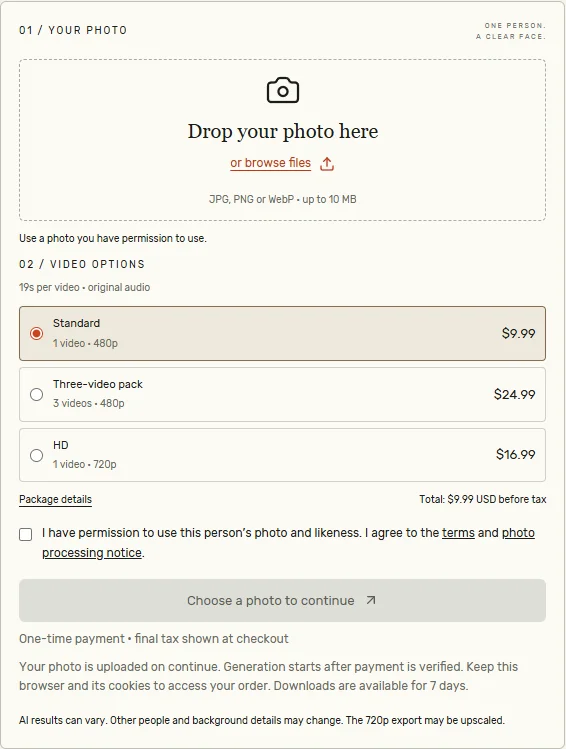
Review video settings before paying.
Check the full price, number of videos, video length and output resolution. Each package includes the original reference audio. Read the refund policy for failed or undelivered videos.
Choose a 19-second package on the pricing page. After checkout, your order page shows payment confirmation and generation progress. Keep this browser and its cookies for the download.
Check the finished video before you post.
Review the face throughout the clip, movement, audio alignment and the downloaded file. An AI result can differ from the source photo or from a promotional example.
A generated result does not establish permission to reuse a performance or music. Confirm the rights to your inputs and the intended use, and follow the platform’s AI-content labeling requirements. Our example shows a completed test. Download your finished video from the order page within 7 days.
Read what to look for in a real example and how the freestyle effect works.